Dashboard & Reports
Home (Operations Dashboard)
After logging in you land on Home, which gives you today's business at a glance:
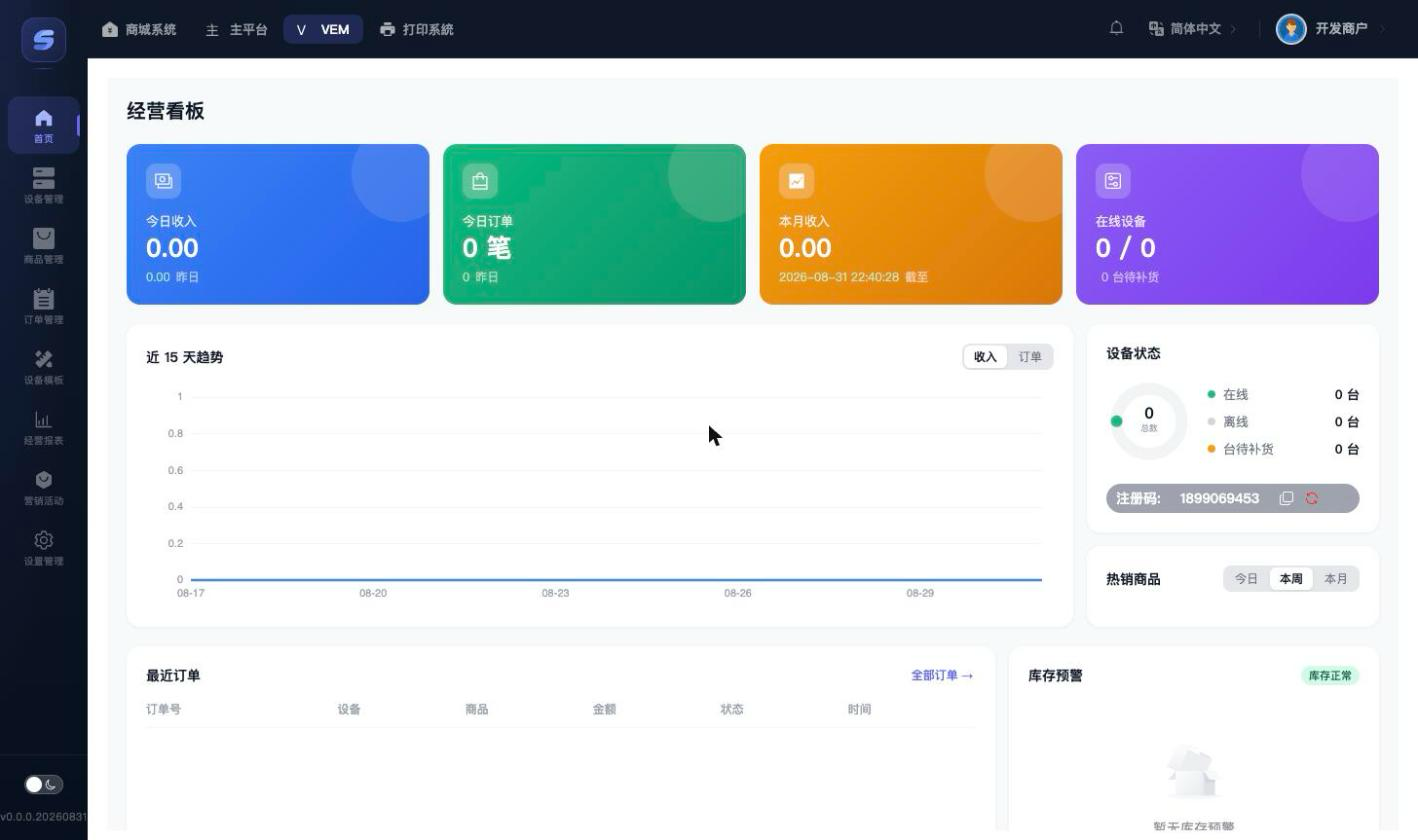
- Four stat cards: Today's Revenue, Today's Orders, Monthly Revenue, and Online Devices (online/total).
- 15-Day Trend: switch between the Revenue and Orders tabs.
- Device Status: an online-rate donut chart; below it is the merchant registration code (used to bind new devices, can be copied; refreshing it invalidates the old code).
- Hot Products: sales ranking for today / this week / this month (data refreshes roughly once an hour).
- Recent Orders: the latest transactions; click "All Orders" to open order management.
- Low Stock Alert: which products on which devices are below the alert threshold; click Restock at the end of a row to jump straight to that device's slot page.
Prerequisite for low-stock alerts
The device must first have a "Low Stock Threshold" (≥1) set under Device Detail › Edit. Devices without a threshold never show up in the alerts.
Business Reports
Menu: Reports

- Time windows: Today / This week (from Monday) / This month (from the 1st) — all cumulative up to now.
- Three summary cards: order count, revenue (paid amount received − refunds, i.e. net revenue), and refunds.
- Product Sales Ranking: sorted by sales volume in descending order, top 100 at most; click Export CSV to download the ranking data.
How the numbers are calculated
- All revenue figures are net of refunds; the order count includes refunded orders, so "orders × average order value" does not equal revenue.
- Statistics are attributed by order time (UTC+8).
- The "Hot Products" widget on Home is cached for about an hour and may briefly differ from the real-time report page — the report page is authoritative.