Restocking
Day-to-Day Restocking
Restocking is done on the device's slot page: Devices › Device List › target device › Restock. See ③ Assigning Products to Slots for the detailed steps.
Field restockers can also restock from the mobile app — provided the merchant has granted that staff member the "Restock" permission and a device scope under Managers.
Restocking Records
Menu: Devices › Restocking Records
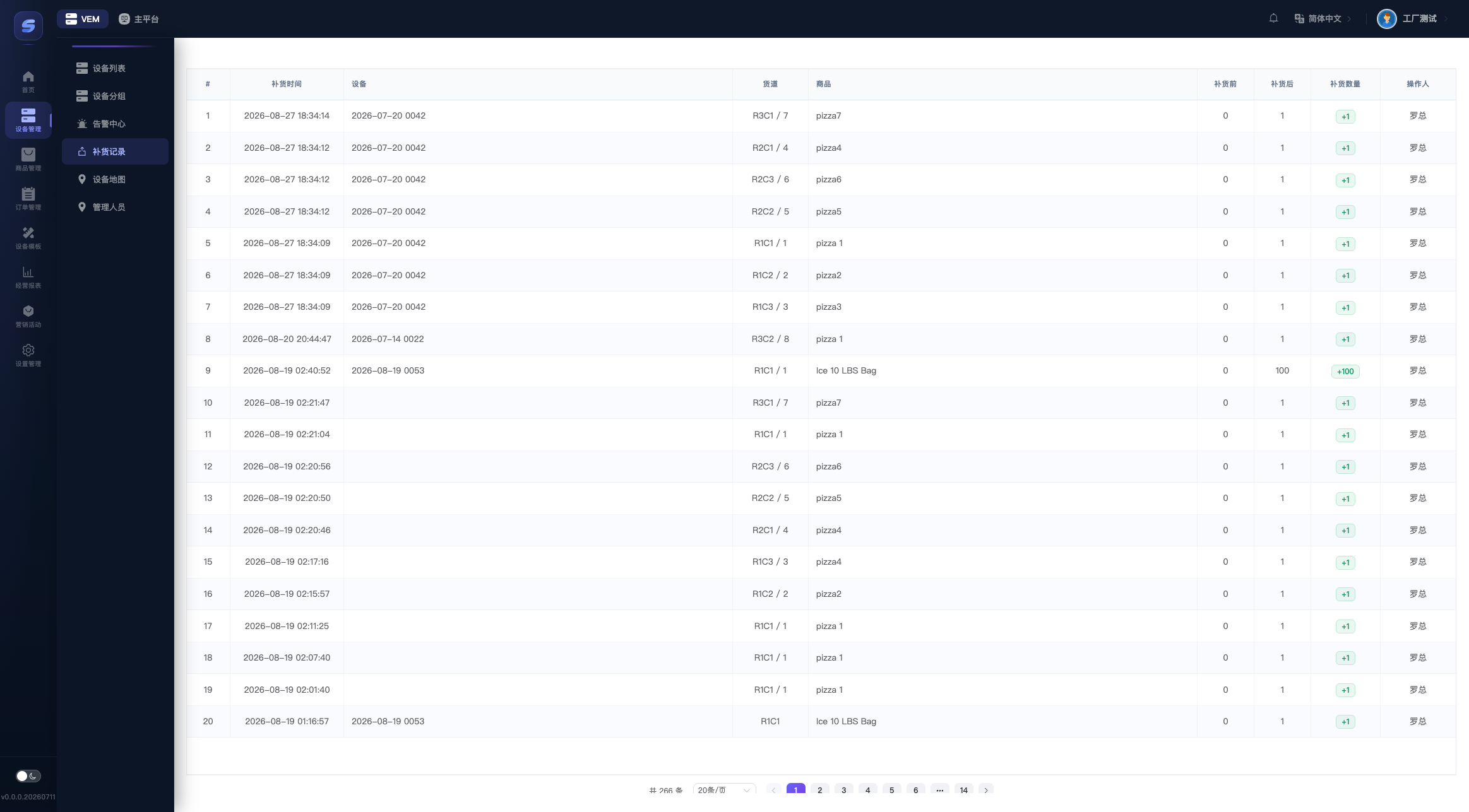
All restocking entries are listed in reverse chronological order. Operations from the admin console and from mobile restockers appear in the same table:
| Column | Description |
|---|---|
| Time | When the operation happened |
| Device / Slot | Which slot on which device (shows the slot code / hardware number) |
| Product | The product assigned to that slot at the time |
| Before / After / Added | The stock change of this operation |
| Operator | Who did the restocking |
TIP
Only operations that add stock create a record; stock removals (negative numbers) are not included in this table.