Promo Codes
Menu: Marketing › Promo Codes
A promo code is a discount the customer gets by entering an 8-character code on the vending machine's payment screen — ideal for offline distribution, private-channel giveaways, and similar scenarios.
Step 1: Create a Promo Code Campaign
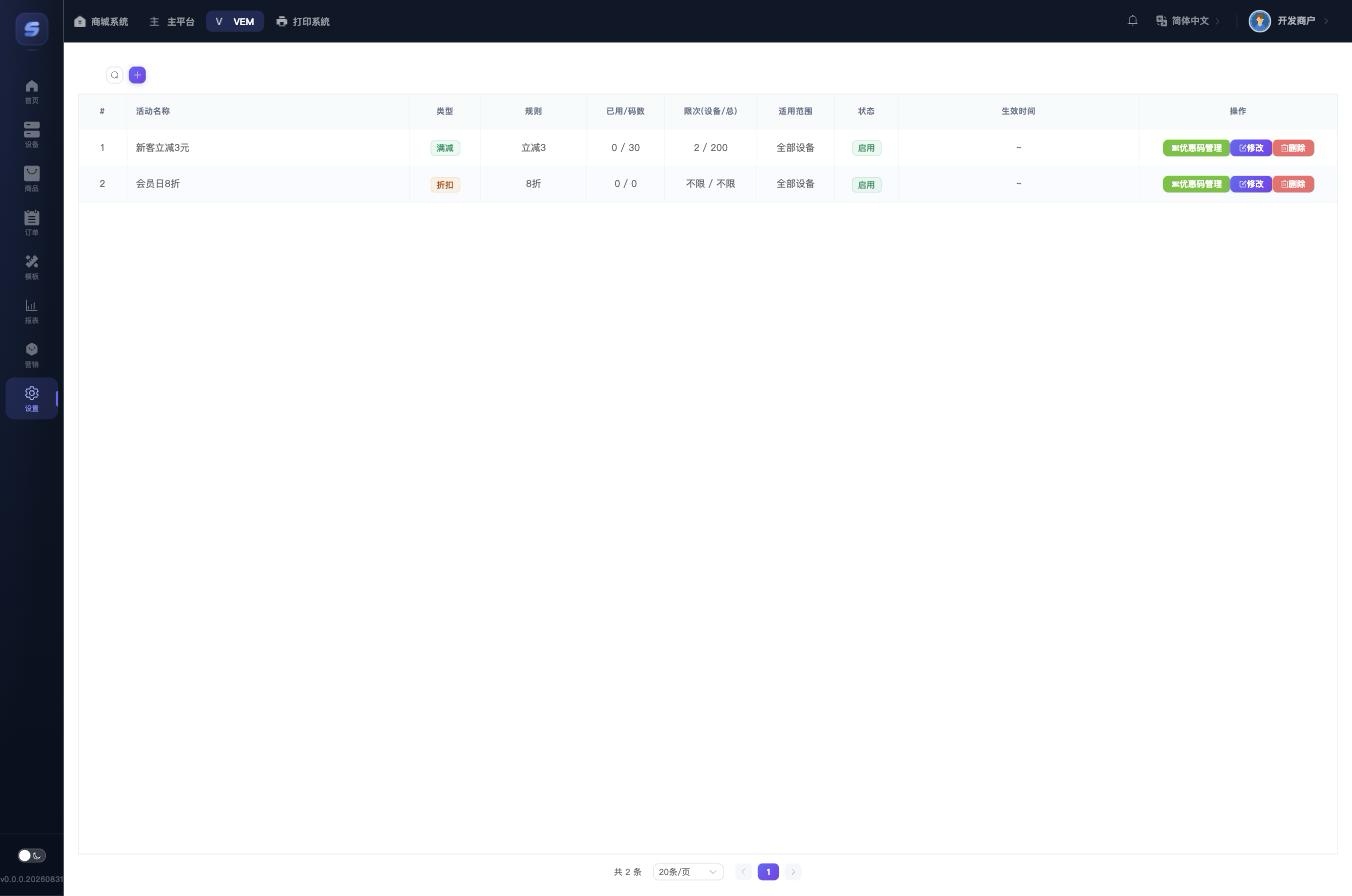
Click + in the top-right corner. Most fields are the same as promotions; also note:
| Field | Description |
|---|---|
| Type | Full Reduce / Discount / Free Exchange (selected products free of charge) |
| Exchange products | Free Exchange only: pick the exchangeable products; the customer's cart must contain exactly 1 unit of 1 product on the list |
| Uses per device | How many times the campaign can be redeemed on the same machine; 0 = unlimited |
| Total uses | How many times the campaign can be redeemed in total; 0 = unlimited |
Editing a campaign affects every code already in circulation
Generated codes always follow the campaign's current rules — changing the threshold or discount value effectively changes every code you have handed out; switching off "Enabled" invalidates all codes immediately (useful as an emergency kill switch).
Step 2: Generate Codes
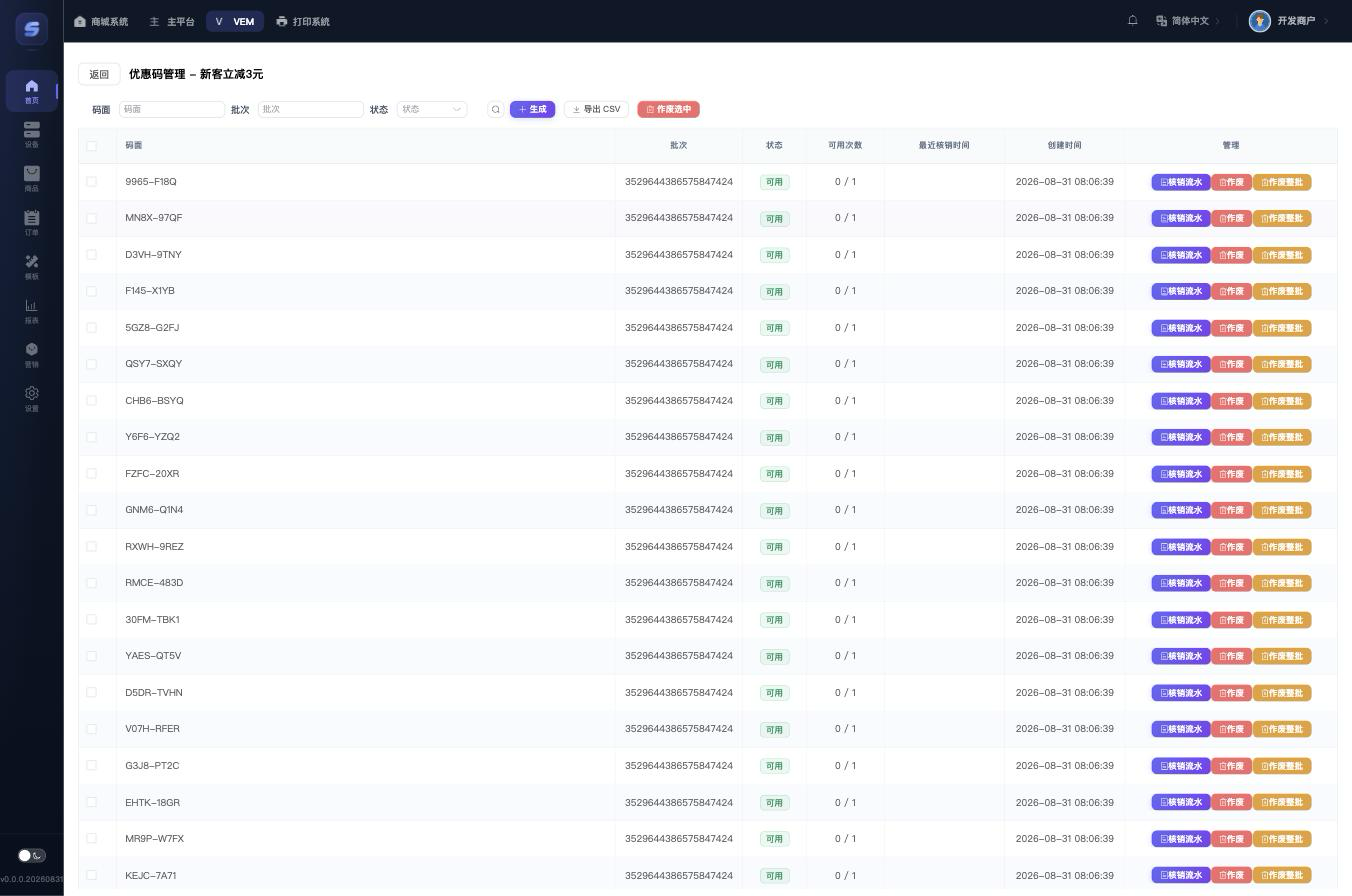
Click Manage Codes on the campaign row to open the code list, then click Generate:
| Mode | Description |
|---|---|
| Random batch | Enter a count (1-10000); the system generates random codes, each usable exactly once. Codes in the same batch share a batch number and can be voided together |
| Custom code | Type an 8-character code yourself (digits + uppercase letters), with a configurable per-code usage limit (0 = unlimited) — good for handing out a "universal code" |
Avoid ambiguous characters in custom codes
The system reads I and L as 1 and O as 0, and U is not supported. Stick to digits and A-H J K M N P Q R S T V W X Y Z.
In the code list you can search by code / batch / status, and void codes in bulk after selecting them:
Step 3: Distribute and Redeem
- Distribute: click Export CSV to download all codes, then print, post, or message them yourself (the system does not send SMS/WeChat pushes).
- Redeem: the customer enters the code on the vending machine's payment screen; the machine validates and applies it automatically — no manual redemption in the admin.
- Track results: the "Uses" column in the code list shows
used/limit; click Redemptions on a row to see the order, amount, and status of each use.
The three redemption log statuses:
| Status | Meaning |
|---|---|
| Locked | The customer has placed an order but not paid yet; one use is reserved |
| Redeemed | Payment succeeded; the use is final |
| Released | The order was canceled or fully refunded; the use has been returned and the code can be used again |
Managing Codes
- Void / Void batch: voiding cannot be undone; customers entering the code will be told it is invalid.
- Code search is forgiving: with or without hyphens, any letter case, and mistyped I/L/O all still match.
- Codes cannot be edited after generation — void and re-issue instead.
Rules to Know
- An order can use at most 1 promo code; it can stack with automatic promotions (promotion first, then the code — the threshold is checked against the discounted price).
- Entering a wrong code 5 times in a row on the same machine locks it for 10 minutes, as anti-abuse protection against brute-force guessing.
- Promo codes are never shown on the machine screen — you need to tell customers about them yourself.